AI agents your whole
team can actually use.
Stop building prototypes that never ship. AgentApps puts working AI agents in your team's hands in days — not months. No backend engineering, no cloud lock-in, no vendor dependency.
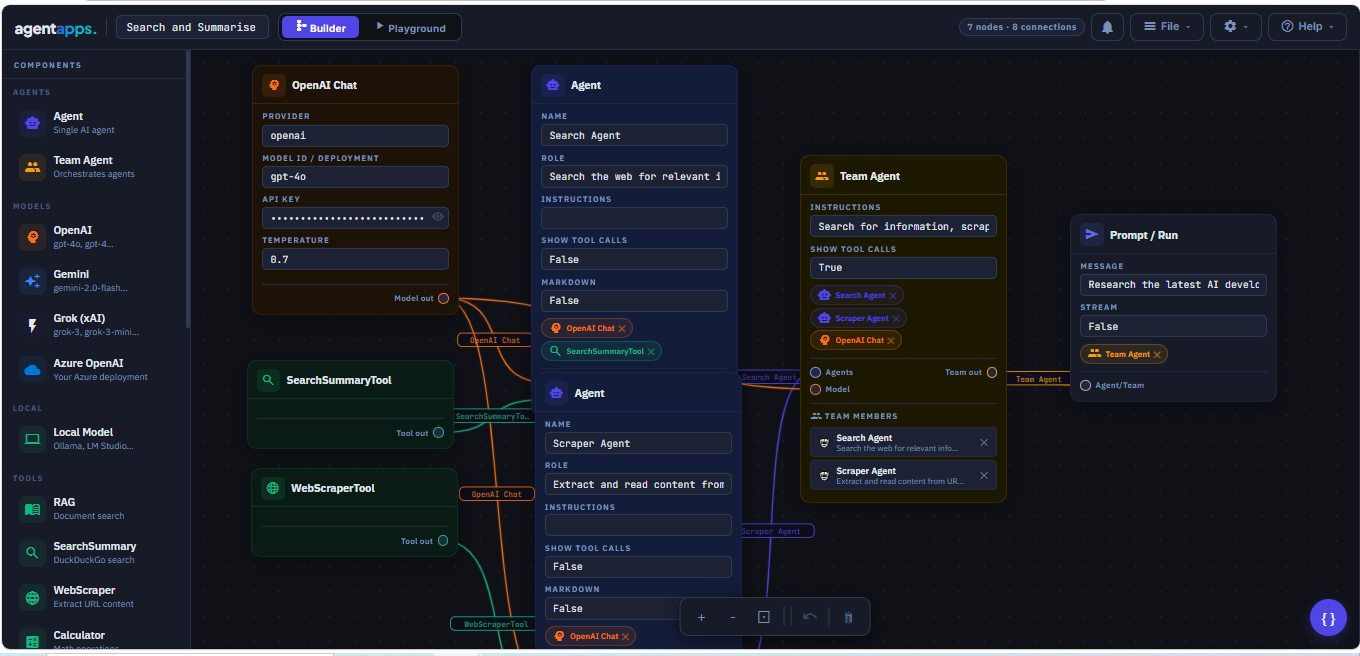
Screenshot · Flow Builder canvas · 1920×1080px
What teams use it for
Real workflows. Running today.
Not demos. Not prototypes. Agents that your operations, finance, and support teams actually run every day.
Invoice processing that runs itself
An agent reads incoming invoices by email, extracts and validates data, checks for duplicates, and routes for approval — without anyone touching it.
Customer queries resolved before anyone reads them
Agents triage incoming requests, pull context from your data, draft responses, and escalate only what genuinely needs a human.
Reports that write and distribute themselves
Agents pull data from your tables, build the report, and send it to the right people on schedule — every morning, every week, every month.
Competitive intel on autopilot
Agents monitor sources, scrape updates, and surface relevant changes to your team the moment they happen — no analyst hours required.
Approval gates that enforce your policy
Agents pause mid-workflow, notify the right approvers, and only proceed when the right person says yes — every action logged automatically.
Internal tools your team can actually talk to
Give your team a portal where they chat with agents that know your systems, your data, and how your business works.
Product demo
See it working in under 5 minutes.
From blank canvas to a live, running agent — watch how quickly teams go from idea to deployment with AgentApps.
Opens in a new tab
Prefer a live walkthrough? Book a 30-min demo → · Watch on YouTube →
Inside the platform
Everything your team needs, in one place.
Scroll through the platform — from the builder your engineers use to the portal your operations team lives in.
Flow Builder canvas
1920×1080px
Visual Flow Builder
Drag models, agents, and tools onto a canvas and connect them without writing code.
AI Builder — prompt to agent
1920×1080px
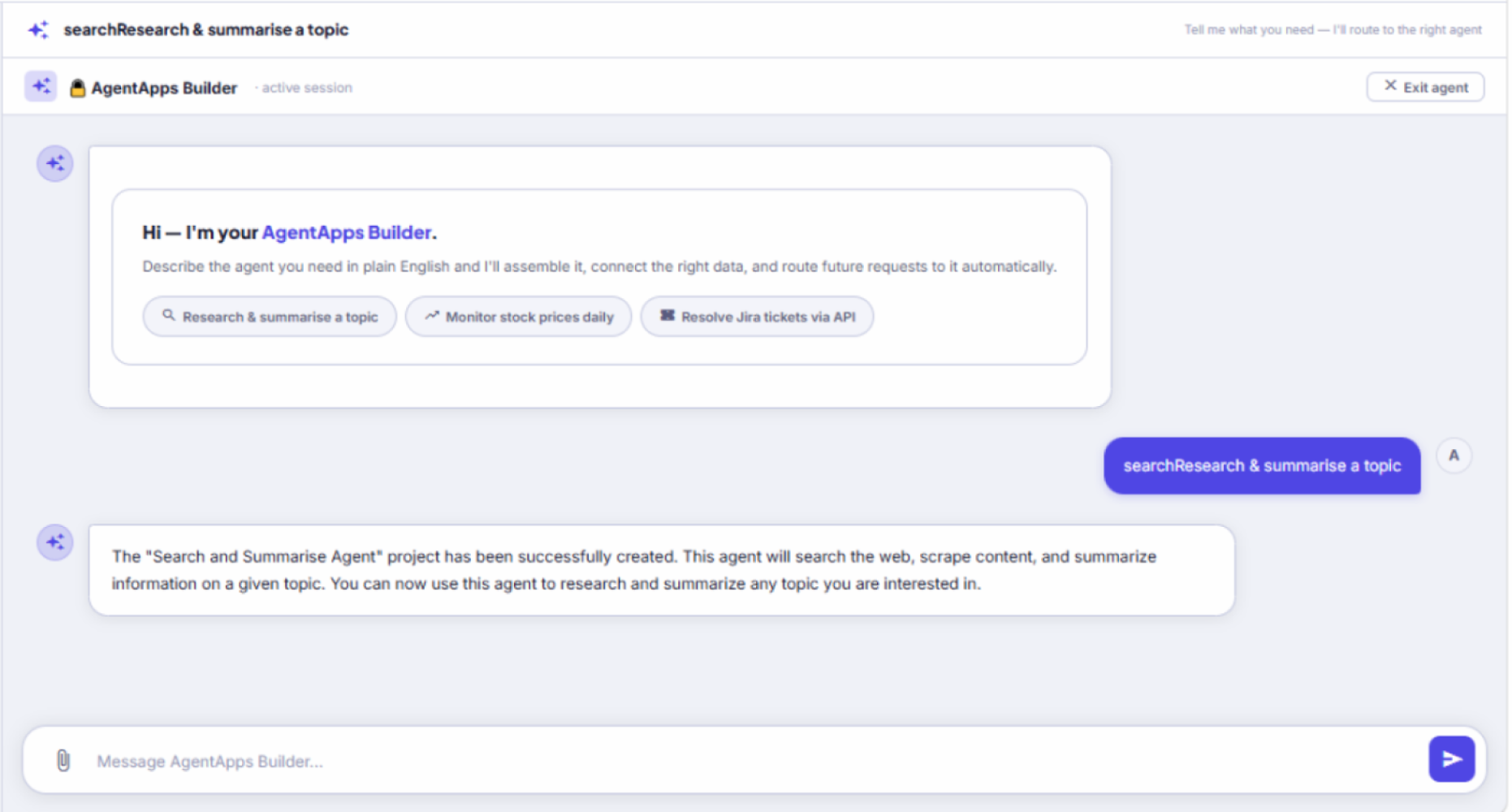
Build Agents With AI
Describe what you want in plain English. AgentApps builds the entire workflow — model, tools, and logic.
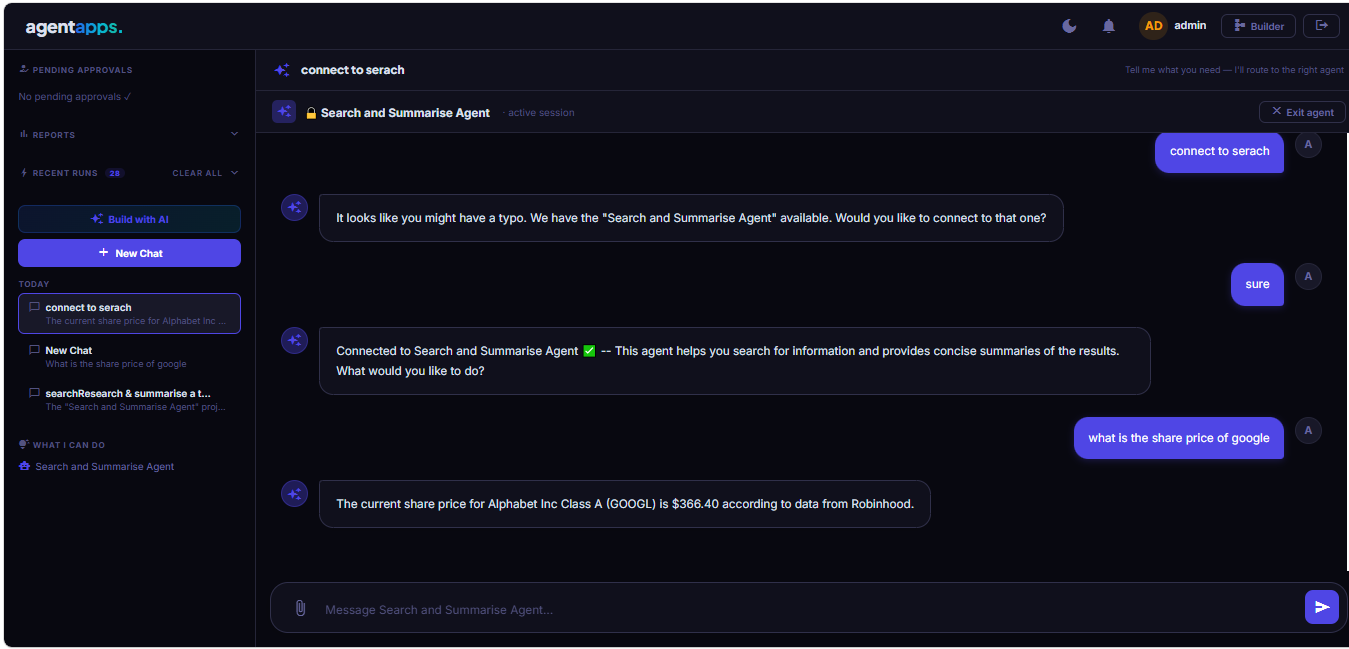
End-user Portal
1920×1080px
Team Portal
A clean interface for your team to chat with agents, view live runs, and approve requests — no builder access needed.
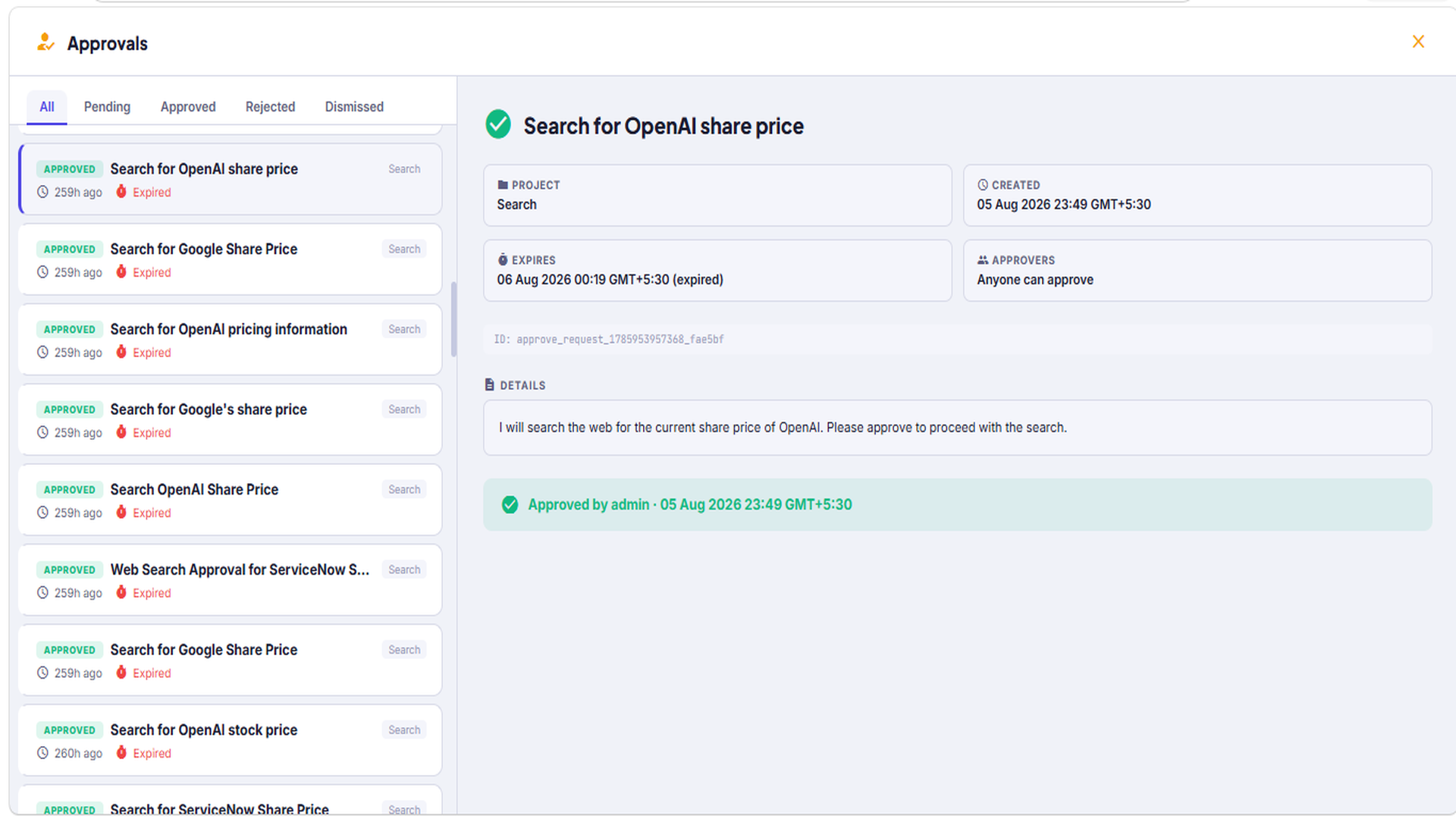
Approval workflow UI
1920×1080px
Human-in-the-Loop Approvals
Agents pause and wait for the right person to approve before proceeding. Every decision logged automatically.
Platform tables
1920×1080px
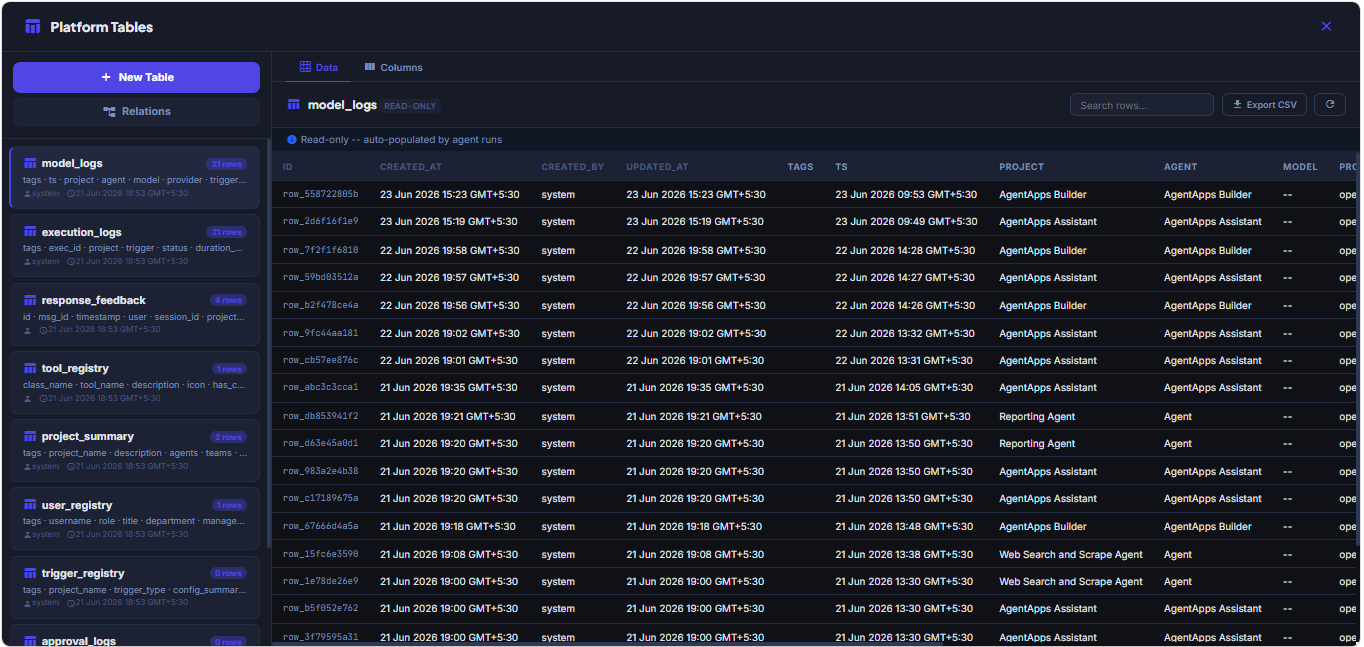
Built-in Data Tables
Agents read and write structured data without needing a separate database. Add columns anytime — agents adapt automatically.
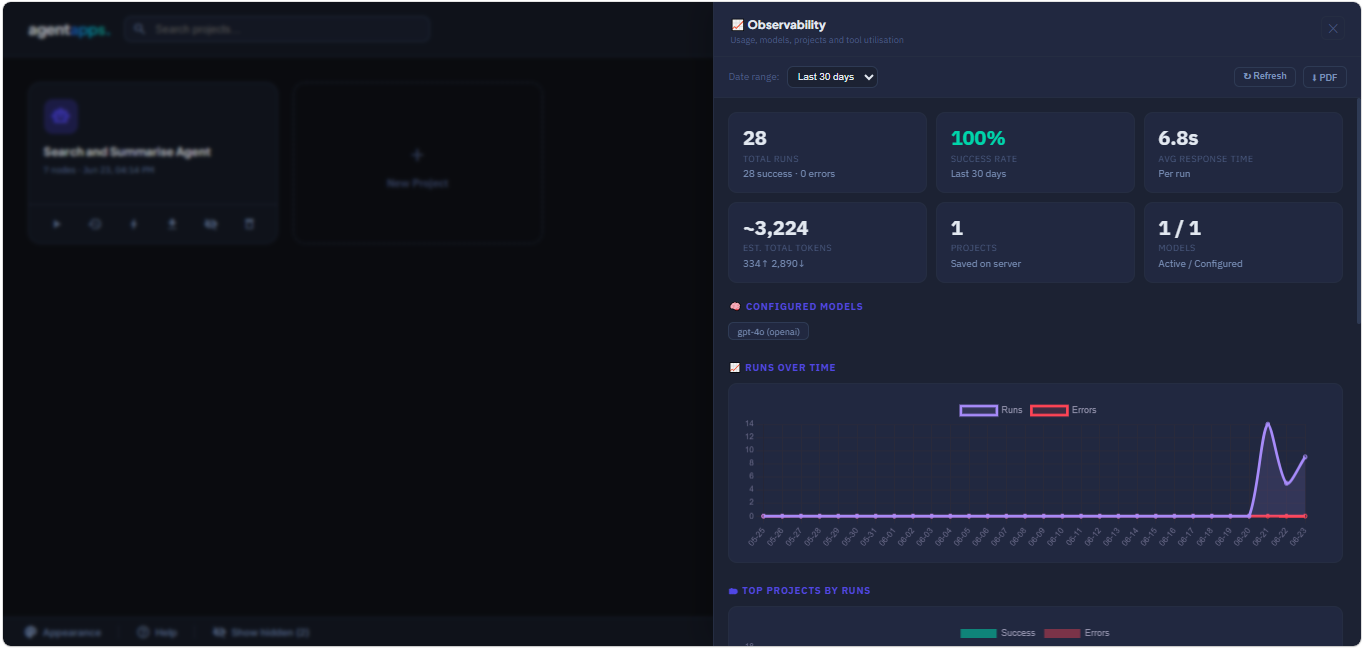
Observability dashboard
1920×1080px
Full Observability
Every model call, every run, every tool use — logged and searchable. Know exactly what your agents did and why.
Reports / dashboard view
1920×1080px
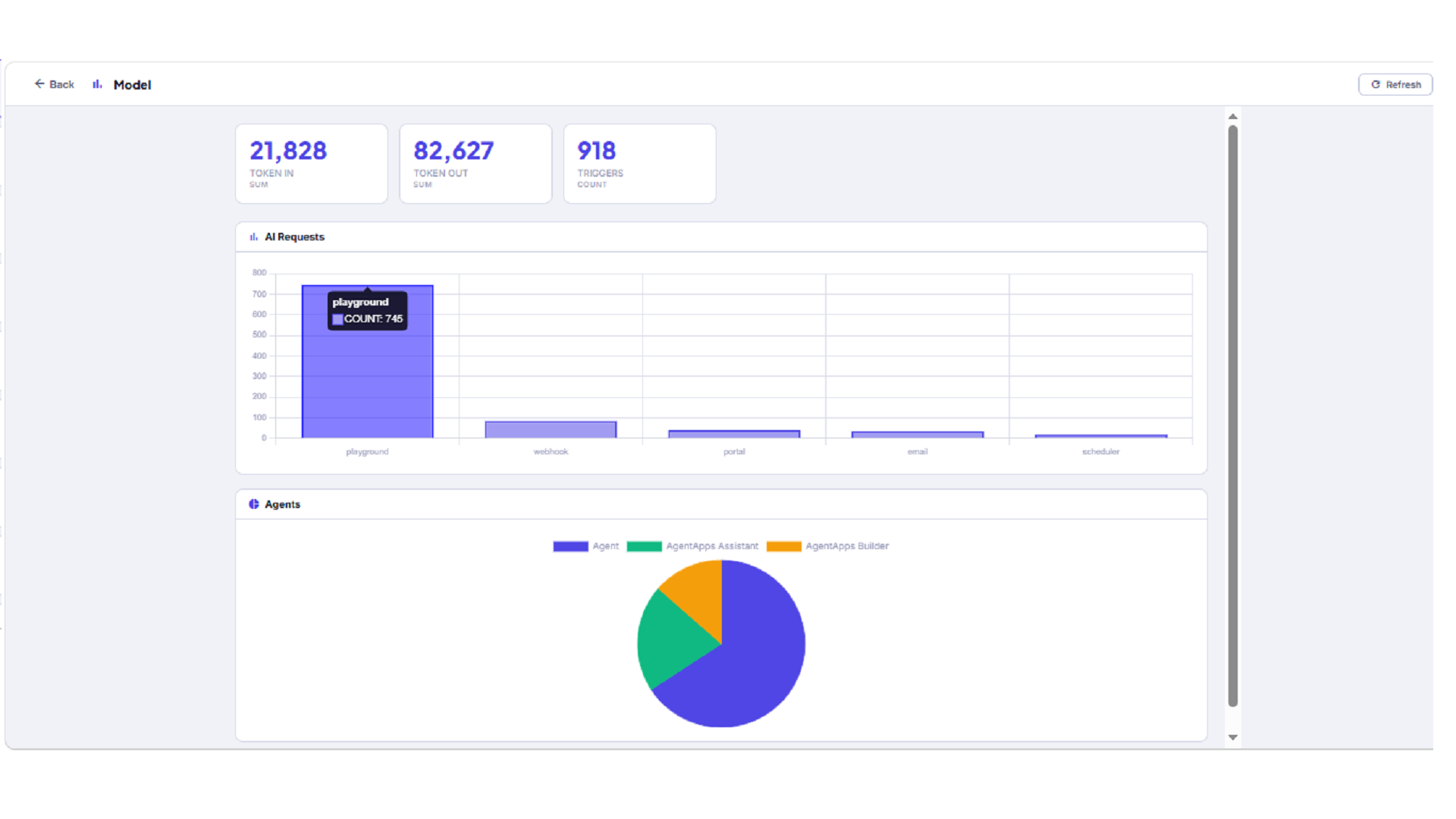
Live Reports & Dashboards
Build and publish dashboards from your platform data. Charts, metrics, and tables — refreshed live, visible in the portal.
Describe it.
We'll build it.
Tell AgentApps what the agent should do in plain language. It designs the full workflow — model selection, tools, instructions, and logic — ready to run end to end. No canvas required.
How it works for your team
Built for the people who deploy it, and the people who use it.
For your end users
Your team uses agents without knowing they exist.
"We built the agent — but getting the team to use it was the hard part."
The Portal gives every employee a clean, familiar interface. They chat with agents, see live results, approve requests, and view reports — without touching the builder or understanding what's running underneath.
- Agent chat with live streaming responses
- Pinned response cards on the home screen for daily tasks
- Approval inbox — approve or reject without leaving the portal
- Published reports and dashboards, always up to date
For governance
Agents that know when to stop and ask.
"We can't let an agent take action without a human sign-off."
Drop an Approval Gate into any workflow. The agent pauses, notifies the right person, and only continues when approved. Every decision is logged — giving you a full audit trail without any manual tracking.
- Human-in-the-loop approval gates anywhere in a workflow
- Notifications in the portal, with full context for the approver
- Approve, reject, or dismiss — every action timestamped
- Approval history synced to tables for reporting
For operations
You always know what your agents did and why.
"How do I know the agent ran correctly last night?"
Every model call, every tool use, every run is logged automatically — searchable by date, project, or status. Export to CSV or PDF at any time. Nothing happens in the dark.
- Full per-run timeline with every tool call and decision
- Token usage, cost trends, and model performance charts
- Filter by project, trigger, status, or date range
- CSV and PDF export for reporting or compliance
Automation
Agents that work while you don't.
Connect agents to the events that drive your business. They start, run, and finish — without anyone pressing a button.
Invoice arrives by email → agent processes it before your team opens their inbox.
Scheduler
Weekly report lands in every inbox at 8am Monday — no one had to run it.
Webhook
Jira ticket created → agent researches, drafts a response, and assigns it before a human sees it.
API poll
Competitor publishes a pricing change → your team is notified with a summary before the day starts.
Why teams choose us
Built for real deployment, not just demos.
Most AI tools get stuck at the prototype stage. AgentApps is designed from the start to go into production — on your infrastructure, with your policies.
Your infrastructure, fully
AgentApps runs on your server — local or cloud. Your data never touches a third-party service. IT and security teams can sleep at night.
Enterprise-grade access control
Four roles — Admin, Editor, Operator, Viewer — with SSO and Microsoft Azure AD. The right people get the right access, no exceptions.
No vendor dependency
Use any model — OpenAI, Gemini, Grok, Azure, or local. Switch providers without rebuilding anything. Your workflows are yours to keep.
Getting started
Up and running in minutes.
Install it, build your first agent, hand it to your team. That's it.
Install in one command
pip install agentapps — runs locally or on any server. Python 3.8+.
Build your first agent
Use the visual canvas or describe it in plain language. Add your model API key and connect the tools it needs.
Set it running
Attach a trigger — email, schedule, or webhook — or chat with it directly from the builder playground.
Hand it to your team
Publish to the Portal. Your team starts using it immediately — no training, no new tools to learn.
Ready to see it in your environment?
We'll walk you through a live deployment on your infrastructure — 30 minutes, no slides.